Thumbnails and channel art that are clear at phone size.

Viewers decide from a thumbnail the size of a stamp. Mine read instantly at that size, and look like one channel.

Who it’s for: Creators who publish regularly and want a recognisable look.

Designed for the size people actually see

YouTube shows one thumbnail at many sizes, and most viewers browse on phones. So I design for the smallest first: one clear subject, a few words at most, strong contrast, nothing under the duration stamp.

I run my own channel, @viratdigitalmarketing, so I design with YouTube’s crops and overlays in mind.

A look viewers recognise

Thumbnails work best as a system: the same type, colour and layout for each kind of video. Related, never identical.

Banners that survive every crop

A banner is cropped differently on TV, desktop and phone. Your name and key message sit in the area visible everywhere; the rest crops gracefully.

What you get

All written into your quote.

  • Thumbnails at 1280 × 720, tested small and in light and dark mode
  • A reusable template, if you'd like to make your own
  • A banner that works in TV, desktop and mobile crops
  • Profile picture and video watermark
  • Two rounds of revisions on each design

How a project works

The same four steps on every project.

  1. Discover

    We talk through what you need, by call or WhatsApp.

    You get: A written brief we both agree on.

  2. Plan

    I scope the work and price it.

    You get: A fixed quote: price, timeline, deliverables. Nothing starts until you approve it.

  3. Create

    I design and build, sharing progress at each milestone.

    You get: Drafts to review, with two revision rounds.

  4. Deliver

    Final checks across devices and formats, then handover.

    You get: Every final file and source, plus help going live.
Related work

Concept and self-initiated, for now.

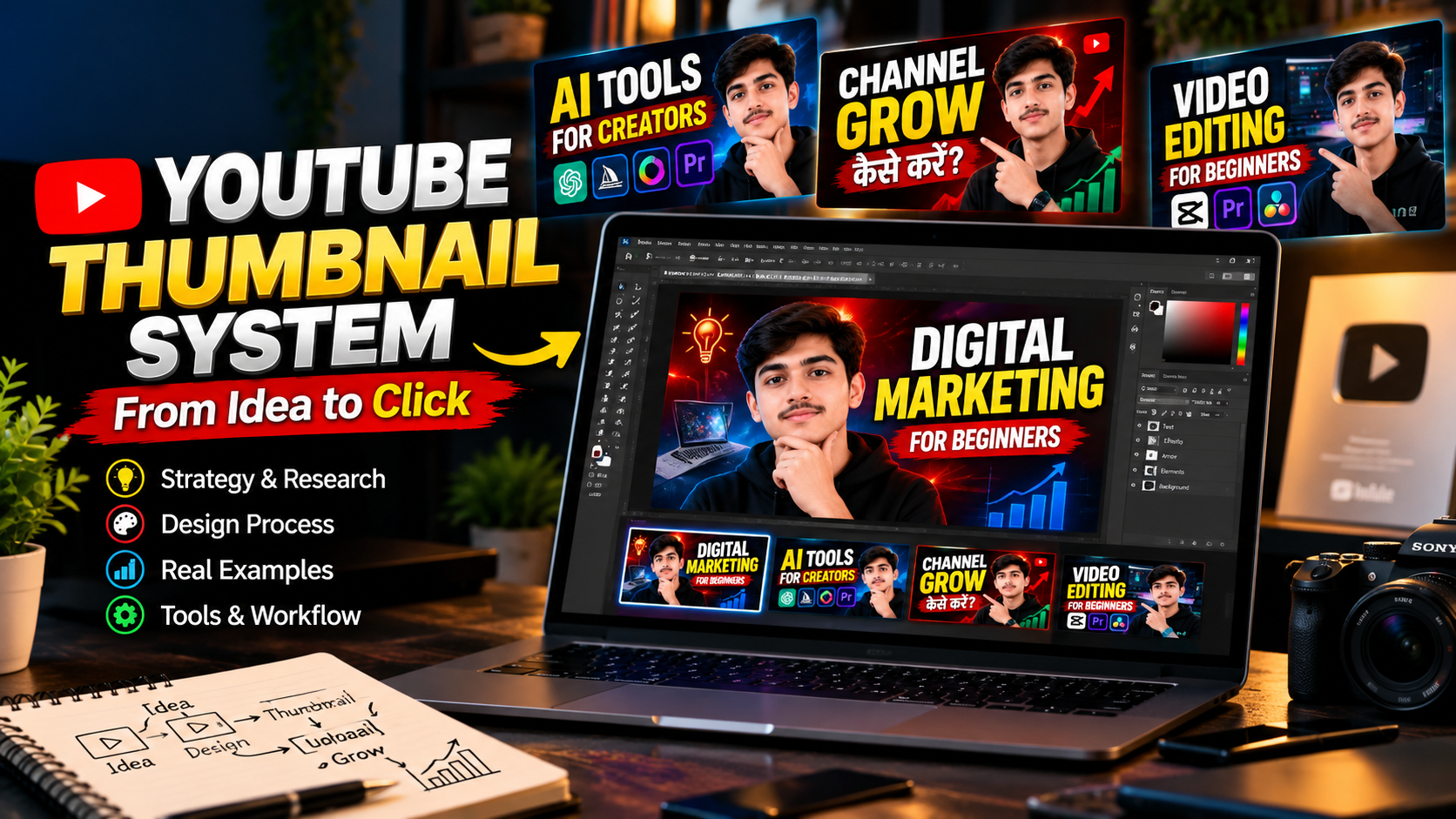
Self-initiatedThe YouTube thumbnail system for @viratdigitalmarketing, presented on a desk: the title "YouTube Thumbnail System, From Idea to Click", a laptop showing the "Digital Marketing for Beginners" thumbnail being designed, and three more thumbnails from the same template above it: "AI Tools for Creators", "Channel Grow" and "Video Editing for Beginners".

YouTube design

YouTube thumbnail system

Thumbnails for my own channel, @viratdigitalmarketing, built on one template that stays readable at YouTube's smallest sizes.

Tools: Photoshop

ConceptA YouTube channel banner for Virat Marketing: the VM logo with "Grow • Learn • Earn" beside three topics, Marketing facts, Business growth and Social media insights, on a light background with navy and gold diagonal stripes.

YouTube design

YouTube banner concept

Stays clean and legible in TV, desktop and mobile crops.

Tools: Photoshop, Figma

Common questions

Can you design thumbnails for every upload?

Yes, as a monthly batch. Tell me how often you publish.

Will better thumbnails guarantee more views?

No one can honestly promise that. Topic, title and audience matter too. I promise thumbnails that are clear, on-brand and readable at every size.

What do you need from me?

The topic and working title, a few frames or photos, and two or three channels whose look you like.

Start a thumbnail project

I reply personally within 24 hours.

How should I reply?

Email is required. WhatsApp is optional.

Used only to reply to you. Privacy

Prefer to talk first? Message me directly.

WhatsApp